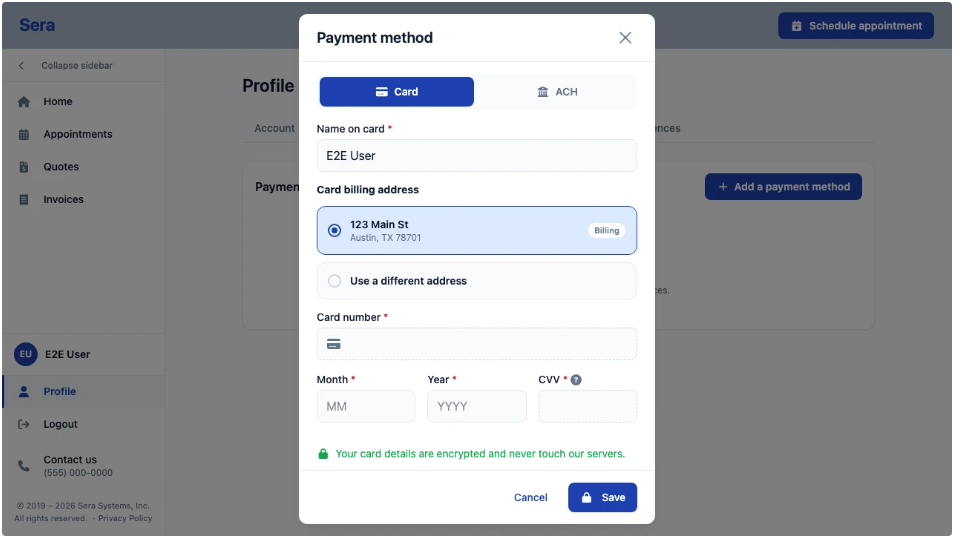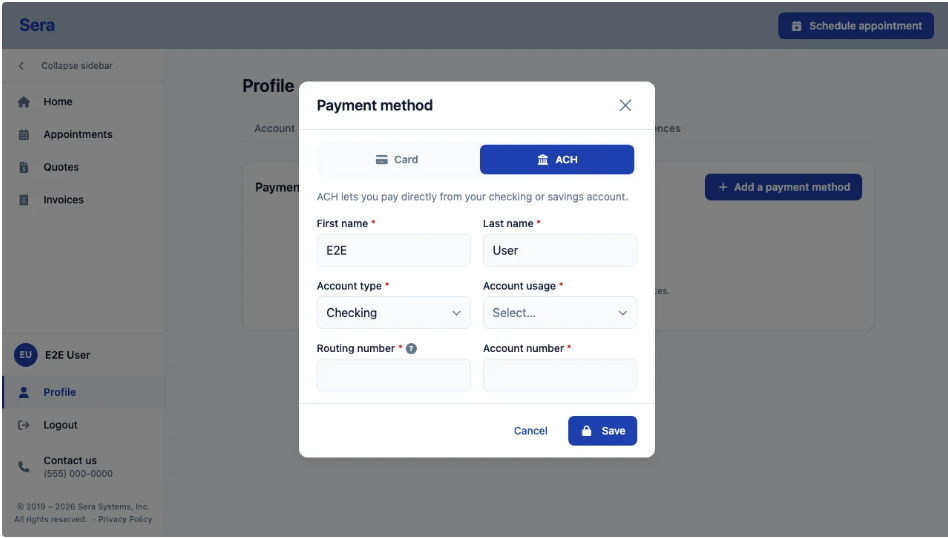
From the Customer Portal, follow these steps to add a Payment Method on file.
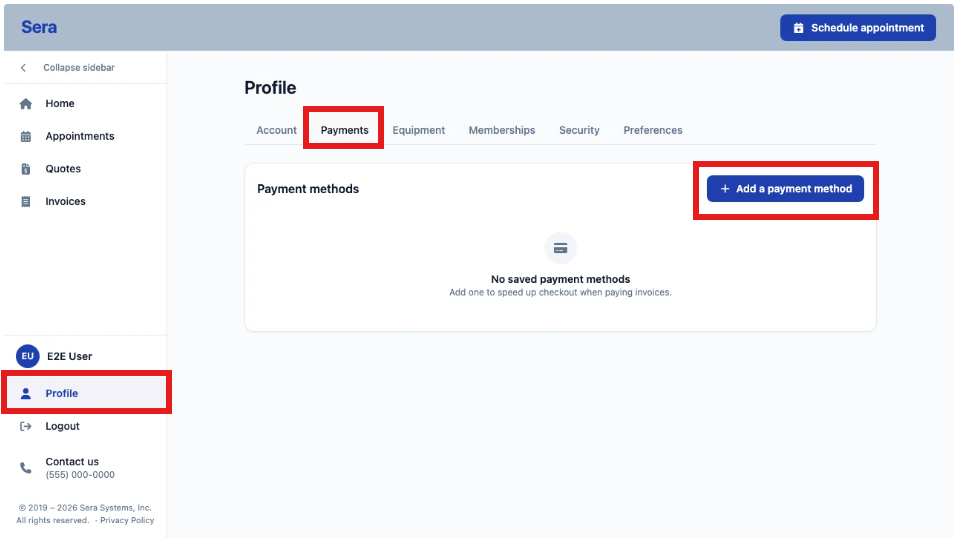
- Locate your Profile, then the Payments tab, and select + Add payment method.
- You'll receive a pop-up which allows you to add in Card details or ACH details. Follow the prompts and select Save when complete. You can manage your payment details on file directly from the Customer Portal as well.