What's Included
Admins can:
- Review the Customer Profile from the Admin Portal to quickly see the payment status in a roll-up view at the Customer-level.
- This includes a summary of where there is a Balance Due, a Credit Due (as a result of overpayment or paying a draw ahead of it's due date), or No Balance.
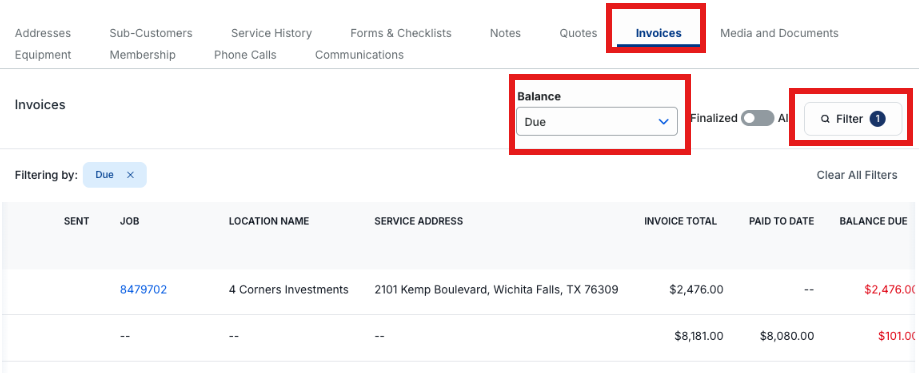
- We have also added a Balance filter on the Customer Invoices Tab.
How to Use
You can now tell at a glance whether a Customer owes money, without opening the Invoices tab. A new Balance Due card appears in the top row of the Customer's profile, next to Tags.
- When the Customer has unpaid Invoices, the card is highlighted and shows the total balance due and how many Invoices it's spread across. Select View invoices to go straight to the Invoices tab, filtered to the Invoices that still have a balance.
- When nothing is owed, the card shows $0.00 and No Balance.
- When a negative balance exists (credits), the card shows Credit Balance
- The total includes only this Customer's own finalized Invoices. Invoices for Sub-Customers, draft Invoices, and membership dues are not included.
- Users who don't have permission to view Invoices won't see the card.
Customers with a Balance Due
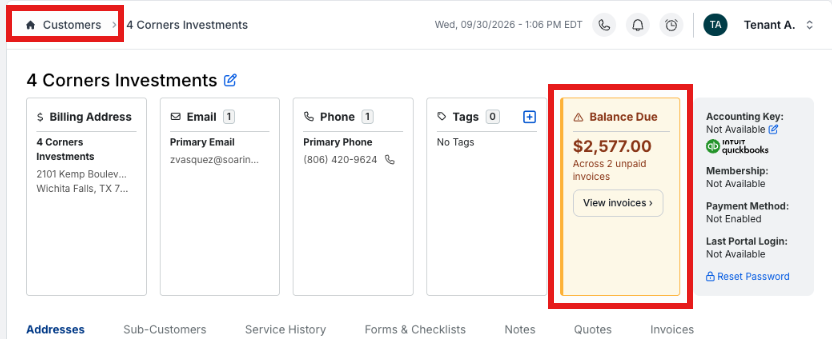
The Balance Due is displayed with an amber card warning styling.
Customers with No Balance Due
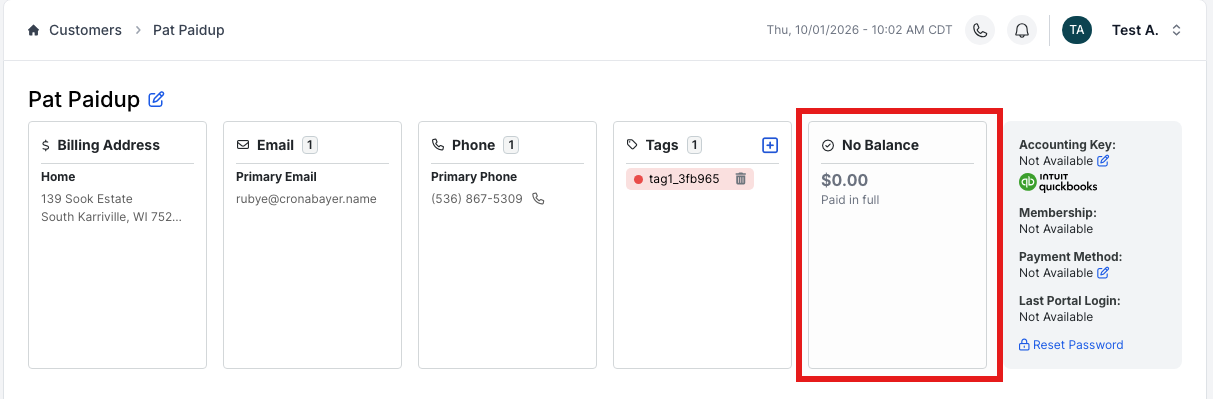
There is a clear No Balance with $0.00 Paid in Full badge.
Customers with a Credit Due
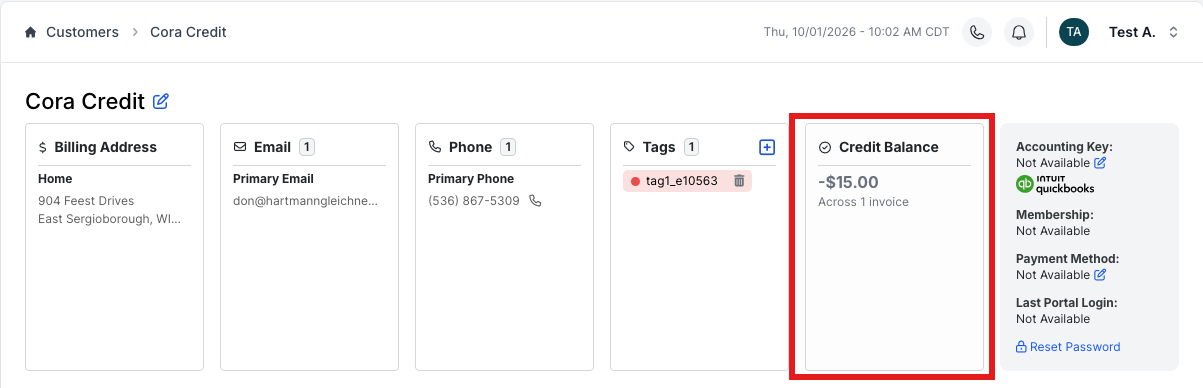
There is a badge showing a Credit Balance as well, to show paid ahead.
Balance Filter on Invoices Tab
The Invoices tab on a Customer's profile has a new Balance filter. Choose Due to see only Invoices with a balance remaining, or Paid to see Invoices that are paid in full.