What’s New
Technicians can:
-
See whether a Customer is a Member specifically for the Service Address for the appointment they are on. Now that Memberships can be sold at the Service Address level, it's important Technicians know whether a membership covers the specific service address for the appointment or not. If not, it's an opportunity to sell a Membership for that address.
How It Works
This feature is automatically enabled as a native feature within Sera.
Be sure you are using the latest version of the Mobile App.
As we consistently improve aspects of the Mobile App, if there is a new version, upon logging in you'll be prompted to refresh the app. This is as simple as closing / logging out and back in. You'll always want to be on the most current version of the app.
The functionality is very user friendly.
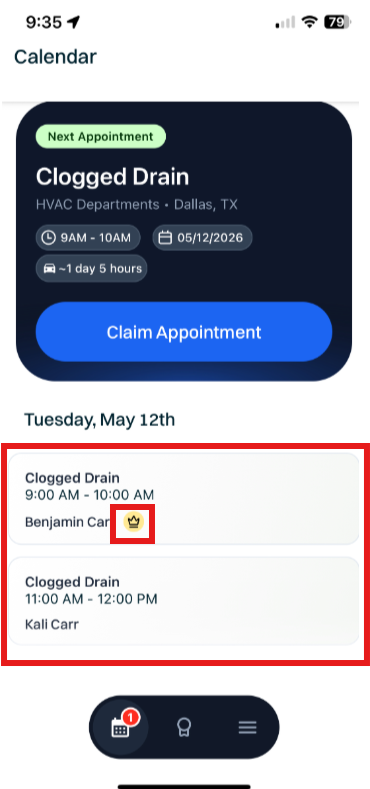
- First, on the appointment claim screen, Technicians can see their appointments and a Membership Crown will display gold if there is an active Membership or Silver if it's expired. No crown suggests there is no Membership for this Customer. The Crown now indicates whether the Service Address for the Appointment is covered by a Membership program.
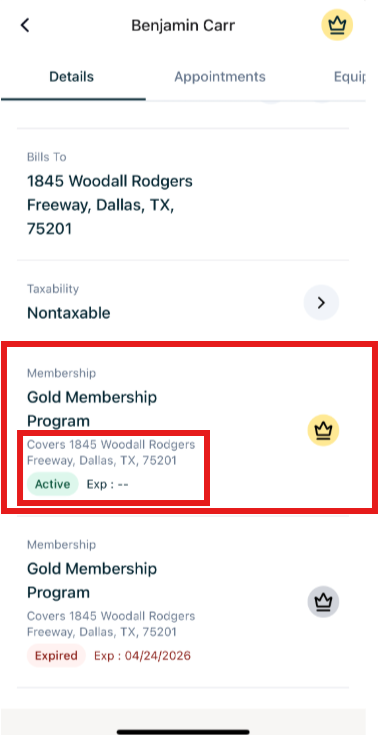
- Within the Customer Details screen in the Mobile app, Technicians can also scroll down and see the Membership, whether it's active or expired, and what Service Address it covers.