What’s Included
Admins can:
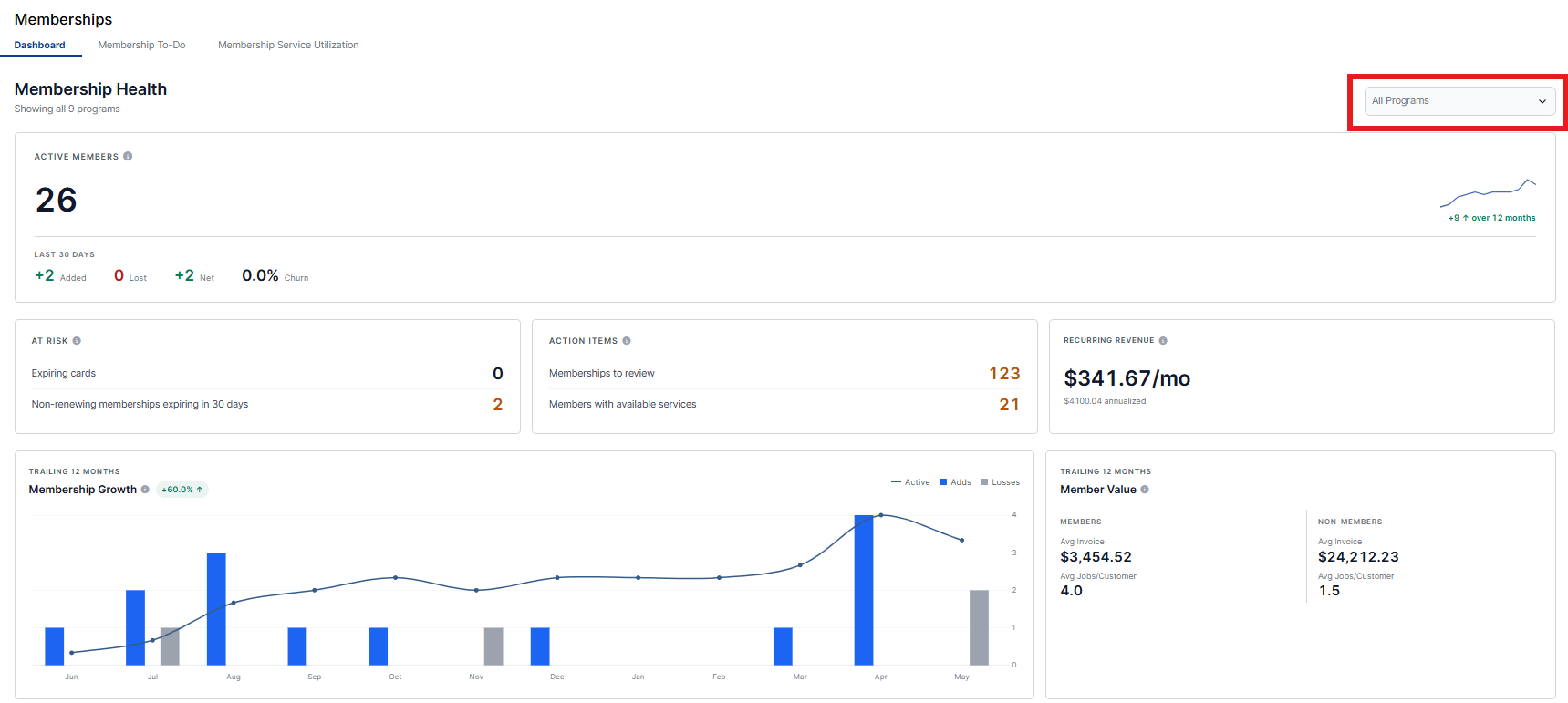
- Navigate to Dispatch > Memberships > Dashboard and this will take you to the full health dashboard. You can filter this dashboard for all programs combined or per program, to see trends, risks, action items, and overall member vs. non-member value.
-
Alternatively, the same dashboard can be located from our Reports Center. Navigate to the Reports Center > Membership Health Dashboard > Dashboard tab.
Membership Health
This dashboard view provides you with visibility to how your membership programs are doing overall, and opportunities to take action.
The dashboard is organized for All Programs by default, but selecting the dropdown menu allows you to filter and see for one specific program, or to select multiple membership programs to see how they are doing as a whole.
Data Insights
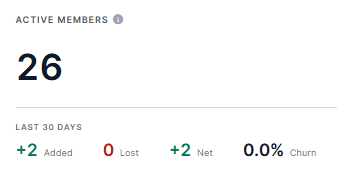
Active Members and Changes Over the Last 30 Days
This view shows you active total members for the specific program(s) selected. It also shows you how many were added, lost, and net overall gain or loss in the prior 30-day period. Churn refers to the rate at which customers stop doing business or cancel their subscription over a given period. A churn percentage is automatically calculated, with a higher percentage showing when your overall lost members is greater than total additions in the prior 30-days.
The quantities for "Added" and "Lost" are hyperlinks, which take you a filtered view so you can see exactly who was added or lost in this timeframe.
At Risk
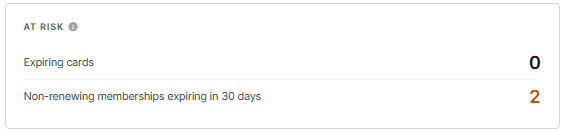
This view gives you visibility to Members who need proactive outreach, to mitigate any impact to your overall program.
-
Expiring Cards - This quantity and link takes you to members who have cards expiring within the next 30-days. Proactive outreach ensures their membership renews and does not expire by default or failed payment.
- Non-renewing memberships expiring in 30 days - This quantity and link takes you to the list of members who do not have an auto-renewed membership program, and the membership is set to expire within 30-days.
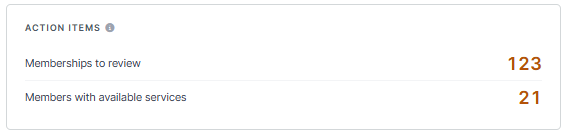
Action Items
These are open work items in your queue.
- Memberships to review - This brings you to the Membership To-Do tab, where you can approve and finalize memberships sold in the field.
- Members with available services - This brings you to the Service Utilization view where you can see members who have services available for scheduling.
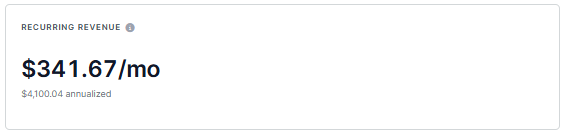
Recurring Revenue
These are by month and annualized metrics showing the value of auto-renewing memberships, with non-recurring memberships excluded.
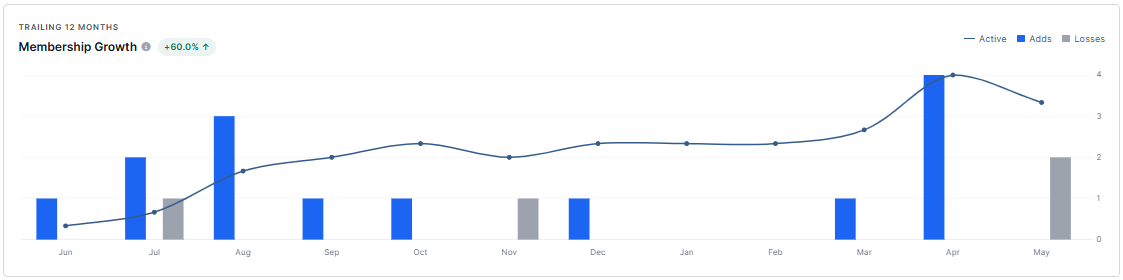
Membership Growth (Trailing 12 Months)
This shows you a Membership Growth trend over the prior 12-months, showing adds and losses by month, and an overall trend line. It even calculates your overall growth in the past 12-months, again based on the programs filter selected at the top of the page.
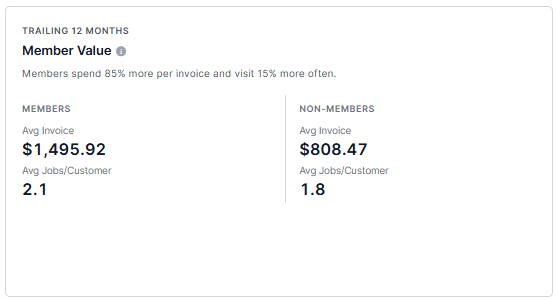
Member Value (Training 12 Months)
These metrics compare quantity of job visits for members vs. non-members and average invoice for members vs. non-members, to provide insights to help you see the value of your individual membership programs.