
What’s New
Technicians can:
-
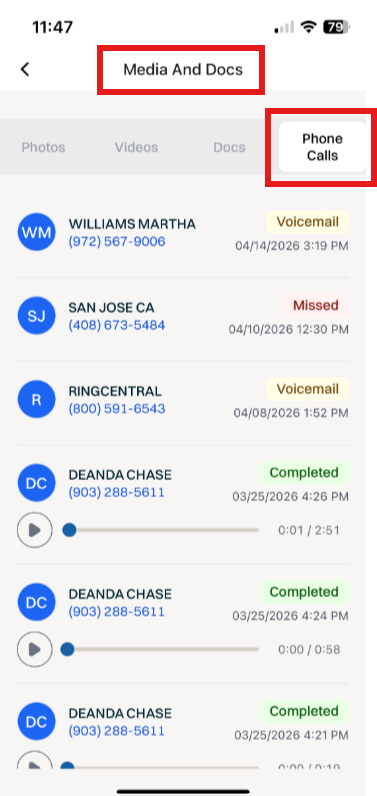
Navigate to Media & Docs and locate Phone Calls and review / listen to linked phone calls.
This improves the experience for Media & Docs management and adds the ability for Technicians to have additional visibility requested.
How It Works
This feature is automatically enabled as a native feature within Sera.
Be sure you are using the latest version of the Mobile App.
As we consistently improve aspects of the Mobile App, if there is a new version, upon logging in you'll be prompted to refresh the app. This is as simple as closing / logging out and back in. You'll always want to be on the most current version of the app.
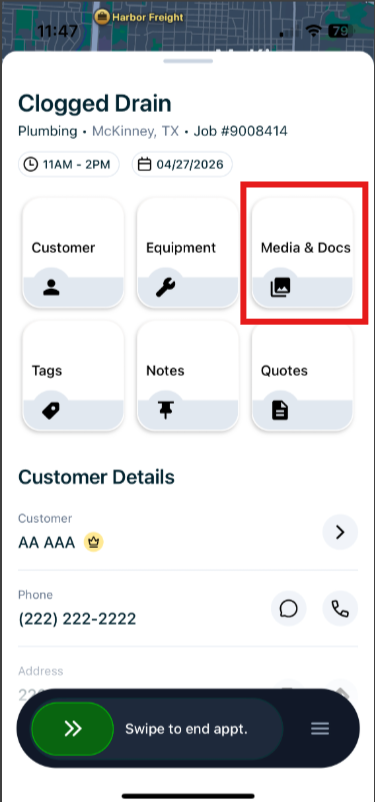
Once you Claim a job, the Media & Docs tile will be visible and accessible.
The functionality is very user friendly.
- Claim your job within the Mobile App, and locate the Media & Docs tile from your primary screen.
- Once you select Media & Docs, locate the Phone Calls tab at the top of the screen.
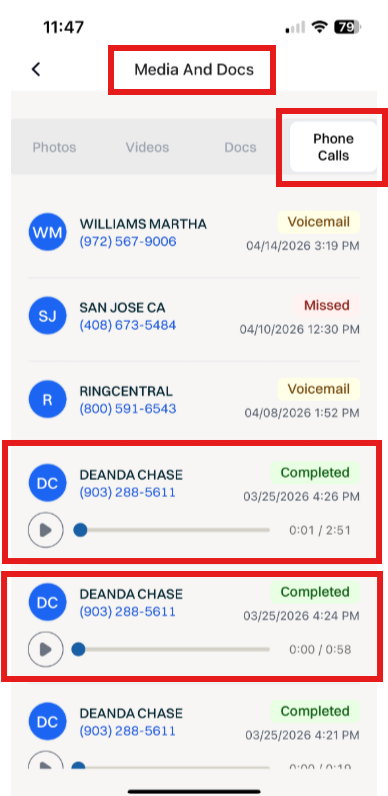
The Admin Portal is synced in real-time.
As new call recordings are linked to the Customer, they will continue to show up and be available in real time on the Sera Mobile app.