What’s New
From the Mobile App, Technicians can:
- Send a "Pay by Email" link directly to a Customer, to collect a payment. The link allows the Customer to pay directly without logging into their Customer Portal.
How It Works
-
On an Invoice payment screen in the Mobile App, the technician can select Pay by Email from the payment method list (alongside Credit Card, Cash, Check, Banking (ACH), and External).
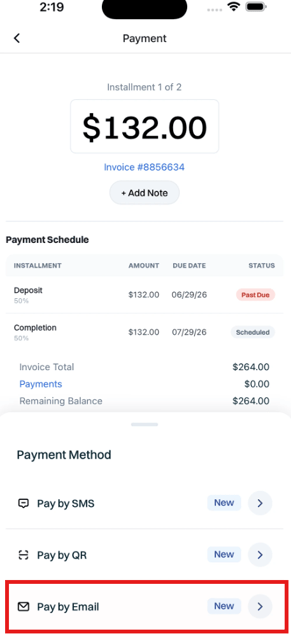
- Rather than collecting payment on the spot, it emails the customer a link so they can pay on their own device.
- Before sending, the app will confirm where you'd like the link sent. The Primary email on the profile is offered by default, or you can Send to a Different Email" and type in a number to text the link to. New email addresses added here are saved as Additional Email Addresses within the Customer Profile.
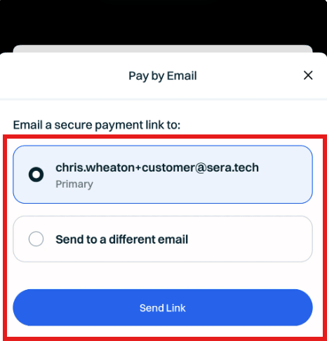
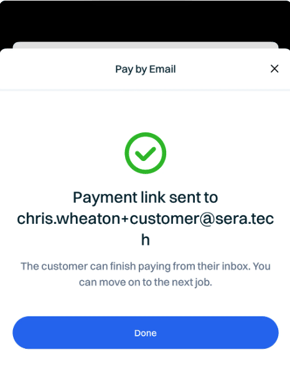
- Select Send Link when ready. After it's sent, the app confirms "Payment link sent to (email address)" - and the customer can complete payment from their own device.