What’s New
Technicians can:
-
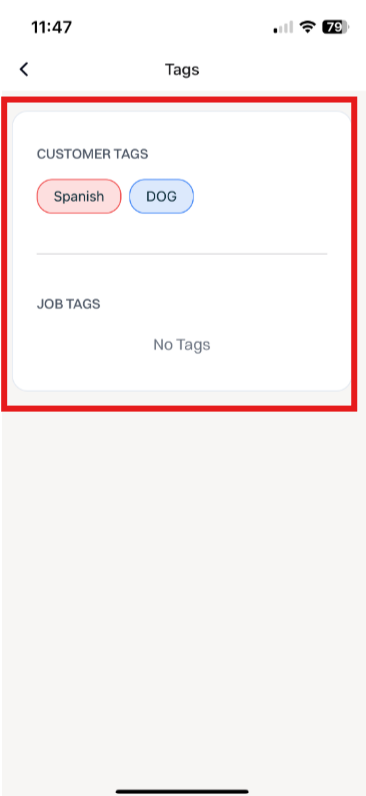
Navigate to any job and locate the Tags tile to view all tags associated to the job and customer.
This provides additional needed and requested visibility from the Sera Mobile app directly for Technicians in the field.
How It Works
This feature is automatically enabled as a native feature within Sera.
Be sure you are using the latest version of the Mobile App.
As we consistently improve aspects of the Mobile App, if there is a new version, upon logging in you'll be prompted to refresh the app. This is as simple as closing / logging out and back in. You'll always want to be on the most current version of the app.
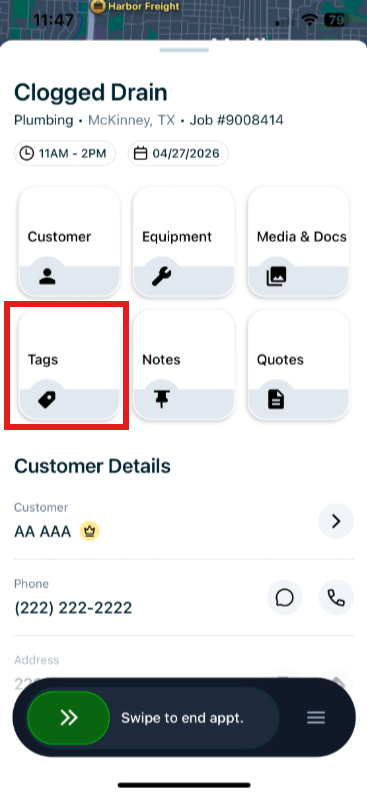
Once you Claim a job, the Tags tile will be visible and accessible.
The functionality is very user friendly.
- Claim your job within the Mobile App, and locate the Tags tile from your primary screen.
- Once you select Tags, you'll be able to see if there are tags associated to the customer or job.